Multiplayer
RustEdit ProWith Multiplayer, several people edit the same map at the same time. One person hosts: their map is the session's map. The others join over the network, get a copy of the map, and from then on every change anybody makes goes to everyone.
Before you start
- Everyone needs RustEdit Pro, the host and each person who joins. Without it, you cannot use the multiplayer menu item or the Multiplayer panel. See Free, Plus and Pro.
- Everyone needs the same version of RustEdit. A different version cannot join: "The app versions differ."
- People who join must be able to reach the host's computer. On one home or office network that works at once. Over the internet, the host's router must send the port to the host's computer. See Host a session.
Open the Multiplayer panel
Use , or the multiplayer button at the bottom of the toolbar on the left.
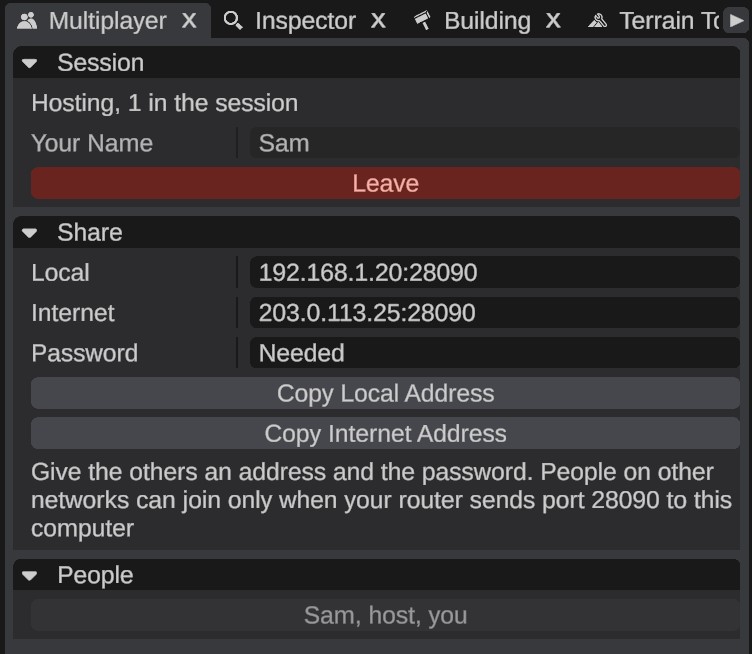
The panel has these sections:
| Section | What it is for |
|---|---|
| Session | What is going on now, Your Name, and Leave while you are in a session. |
| Share | Only for the host: the addresses and the password state to give the others. |
| Host | Start a session with your map. |
| Join | Connect to somebody else's session. |
| People | Everyone in the session. Click a person to move your camera to where they are looking from. |
What is shared
Everyone sees the same map. These changes go to the others a few times a second:
- Placed objects: placing, deleting, moving, rotating and scaling, the hierarchy, names, hiding and locking, and the values you change in the Inspector.
- Terrain: height, ground textures, biomes, topology and holes, from brushes, undo and the Terrain Graph.
- Splines and paths, and their settings.
- Socket links between prefabs.
- Loot and vending profiles that placed objects use. See Loot profiles.
- Custom topology layers. See Custom topology layers.
- Files the map needs: the custom monuments placed on the map, and custom data files. When somebody joins, the host sends the ones they do not have. A monument or custom data file saved during the session goes to the others too.
You also see the other people. Each person has a color. Their camera shows as a box with a cone and their name, and the objects they have selected show inside a box in their color.
What is not shared
- Your view and your settings: the camera, the time and weather, graphics settings and window layout stay your own.
- An open monument. When you open a custom monument to edit it, you leave the shared map for a while. Nothing you do in the monument goes to the others, and they do not see your camera. When you save the monument, the saved file goes to the others.
- Undo history. Ctrl+Z undoes your own steps only. See Limits.
Limits
- Two people cannot select the same object. An object that somebody else has selected, or whose parent they have selected, cannot be selected by you. RustEdit says "... is selected by ..., so it cannot be selected here."
- Undo can overwrite somebody else's change. Undo puts back your own earlier state. If another person changed the same thing after you, your undo replaces their change.
- Only the host can change the map's size or resolution. See Resize map and Terrain resolution.
- A person who joins cannot open another map. Opening or making another map leaves the session. When the host opens or makes another map, everyone gets that map.
- Monuments from the session are kept in memory only. A custom monument that came from the host is never written to your disk. You cannot open it or unpack it, and when the session ends RustEdit forgets it. See Join a session.
- Your own file wins. When you have a different version of a custom monument or custom data file than the host, RustEdit keeps yours and warns you: "Your ... is not the same as the host's. Yours is kept, so the map may look different here."
- One RustEdit cannot host and join at once.
Keeping maps the same
While the session is quiet, the host compares its map with each person's map about every 20 seconds. If something differs, the host's version is put in, and RustEdit says how many objects and terrain tiles differed.
Privacy
The connection between the host and each person is encrypted. A session password is never sent over the network: RustEdit uses it to make the keys, so a wrong password cannot connect.