Tropical Terrain
Rust has two looks for its world: the standard look and a tropical look. The tropical switch in the scene view shows your map with Rust's tropical terrain textures and shore water, so you can check how your map looks in it.
Switch the tropical look on or off
- Find the tropical island button in the row of buttons at the top of the scene view. Its tooltip says "Switch between the standard and the tropical world".
- Click it. The terrain and the ocean change to the tropical look. The icon is bright while the switch is on.
- Click it again to go back to the standard look.
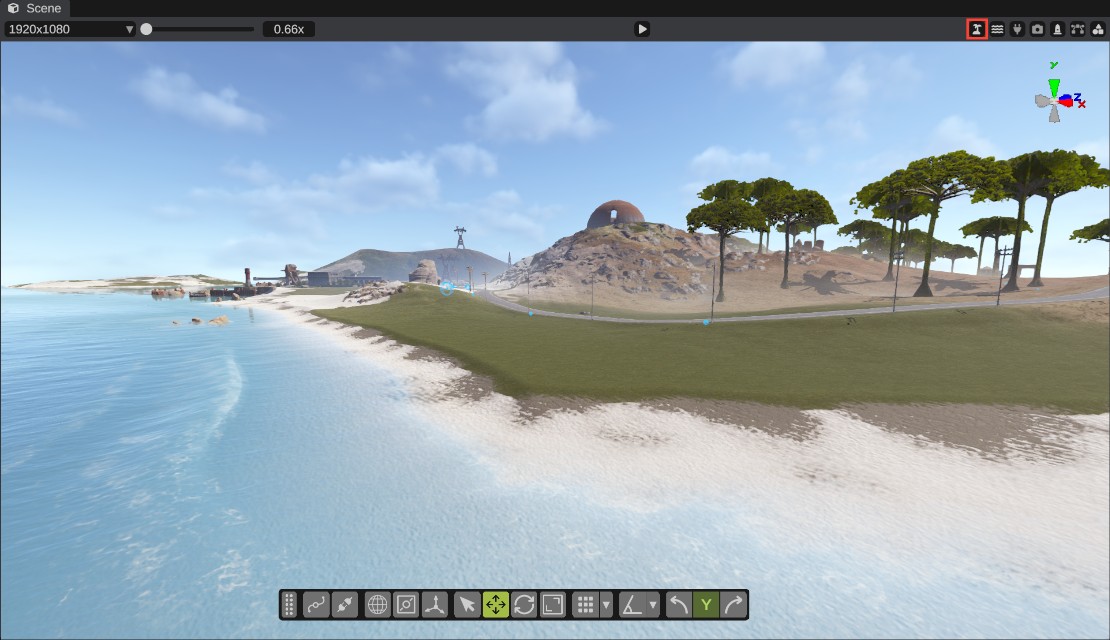
The first switch can take a moment: RustEdit loads Rust's tropical terrain textures the first time you use them.
What changes
- The terrain: the terrain textures, the splat colors and the terrain material. The ground looks different, but the splat, biome and topology maps stay the same.
- The ocean: the color of the water near the shore.
The splat layers keep their names in the Terrain Tools, even where the tropical look shows them as other textures. In the tropical look, Snow and Sand show as two kinds of sand: flat sand and sand with waves.
The switch only changes what RustEdit shows. It is not saved in the map, and it does not change the exported map. The switch is off each time you start RustEdit.
Run a map with the tropical look
The tropical look on a server is a server setting, not part of the map. To use it, set the server variable deepsea.terrain_everywhere to true. The server then shows every map it runs with the tropical look.